An employee leaves a pricing team on Friday. Their SharePoint access is removed, but the company’s knowledge assistant still answers questions using a proposal indexed on Thursday. The response even includes a citation. The citation helps explain where the answer came from; it does not establish that the employee should have received the answer.
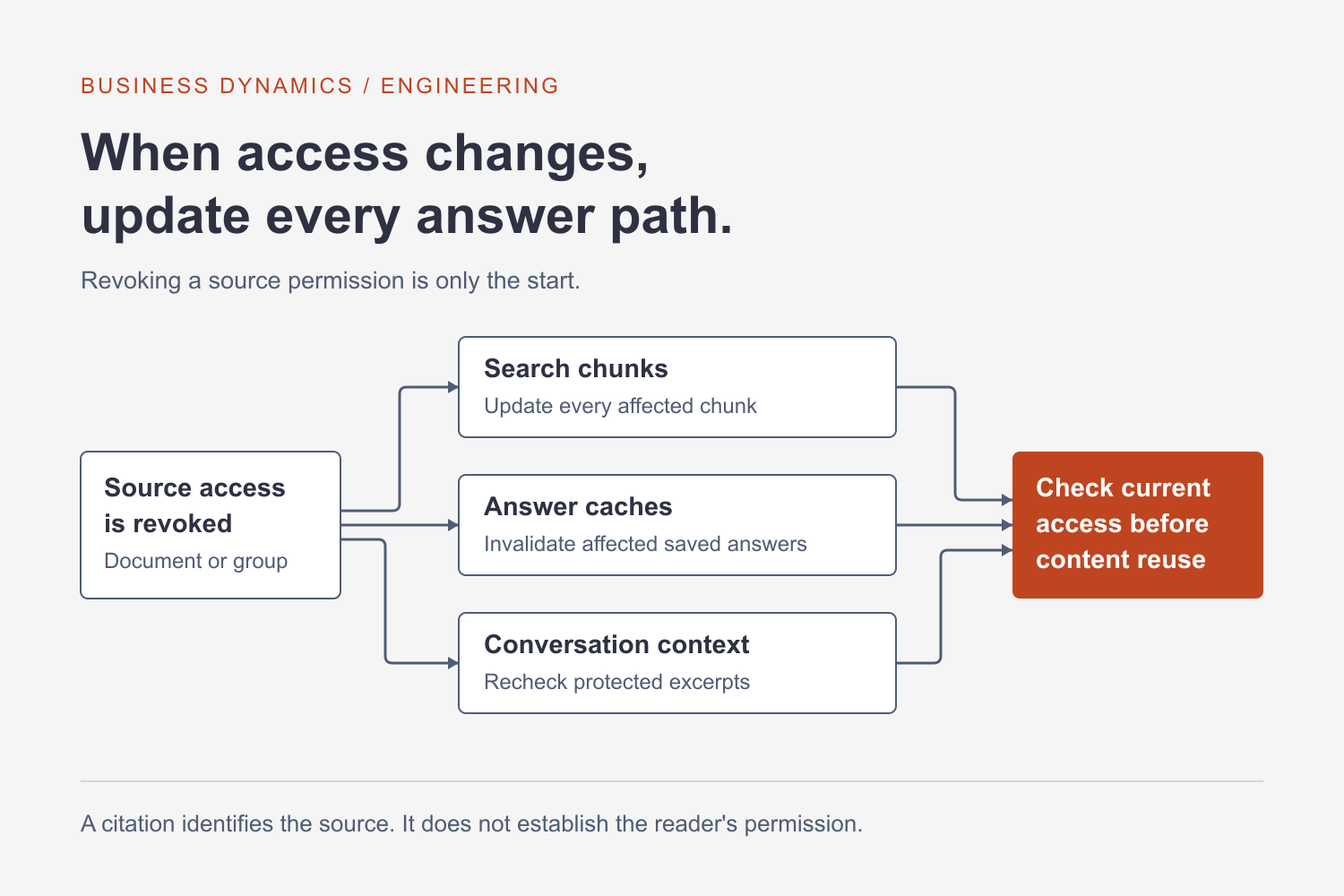
This is a design problem for any assistant that searches a separate copy of business documents. The search index, group membership cache and saved conversation can each hold a different view of access. Removing a permission in the source system has to reach every place that can supply protected information.
Consider a hypothetical sales assistant that searches product manuals, customer proposals and internal pricing guidance. Manuals are available to everyone in sales. Proposals belong to account teams. Pricing guidance has a narrower audience.
For each indexed chunk, retain its source document ID and the permission information needed to determine who can read it. All chunks from a restricted proposal need the same effective restriction. A chunking pipeline that copies the text but loses the permission fields has already broken the boundary before the model receives a question.
The application should establish the caller’s identity through its trusted authentication path. It should then retrieve only eligible content. Do not let a user supply a group ID in a chat message and treat that string as proof of membership. Asking the model to hide information after unrestricted retrieval leaves the sensitive content inside its context, where a generation error can expose it.
Microsoft documents an application-managed security filter pattern for Azure AI Search. It uses indexed principal identifiers and query filters to restrict matching documents. The documentation distinguishes that filtering mechanism from authentication: the identifier stored in a field is a value to match, not independent proof of the caller’s authority. The application still needs a trustworthy way to construct the filter.
Microsoft also documents query-time ACL and RBAC enforcement, currently marked preview. That approach brings permission evaluation into the search service using indexed access metadata and caller authorization. Review its supported sources and production limitations before choosing it. Neither approach eliminates the need to keep indexed permissions current.
For the sales assistant, imagine a proposal identified as proposal-417, divided into twelve chunks. An access change should trigger an update covering all twelve. Track a source revision or equivalent change marker so the pipeline can detect an incomplete update. Give failed permission updates their own queue and alert; burying them among ordinary document-ingestion errors makes a security problem look like a search-quality problem.
Decide what happens during the interval between a source change and a successful index update. For especially sensitive collections, a source-system authorization check before releasing retrieved content can provide another control. It adds latency and a dependency on that system. Where direct checks are impractical, define an acceptable synchronization interval and a mechanism to withhold documents whose permission state is uncertain. That interval is an operational commitment the team must monitor.
Treat document deletion separately from permission changes. A deleted proposal can leave searchable chunks behind if the ingestion job only adds or updates records. Maintain a way to enumerate every chunk associated with a document and remove or suppress them together. Test moves between libraries and account teams too: a new location can change the effective audience even when the text remains identical.
Caches need the same attention. A shared answer cache keyed only by question can serve an authorized user’s response to someone else. Include the relevant authorization scope in cache design, and plan how permission changes invalidate entries. Avoid assuming a short cache lifetime solves the entire problem. Even a short interval may be unacceptable for some records, while other content can tolerate delayed updates.
Build a small permission test set around the sales example. Include a general manual, a proposal shared with two account teams, a restricted pricing document and a deleted file. Ask the same question as users with different access. Check the retrieved chunk IDs as well as the final response. An apparently harmless summary can still reveal a confidential price or customer name.
Then change the permissions while the system is running. Remove one user from a group, revoke access to a document and interrupt a permission-update job. Measure how long each change takes to affect retrieval. Verify that incomplete identity resolution or a failed authorization dependency prevents protected content from being returned. Record the failure clearly enough that support can distinguish it from “no relevant documents found.”
Existing conversations deserve a separate decision. Revoking access cannot erase information a person has already read, and a later answer may reuse protected excerpts stored in chat history. Before reusing previous context, establish whether that content remains eligible for the caller. Source links should enforce current access when opened, but that check does not protect text already included in an answer.
These controls add ingestion work, operational monitoring and sometimes another network call. Start with the collections that carry the greatest consequences if disclosed. Make the permission-change path part of the acceptance criteria alongside answer quality and response time.
For the broader retrieval workflow, see building a knowledge agent using company documents. If your assistant searches information across departments or customer accounts, Business Dynamics can help review the access boundaries and update process.
